AI at Work in 2026: A Four-Week Plan to Improve Workflows Without Losing Human Judgment
Microsoft’s 2026 Work Trend Index highlights human judgment and organizational readiness. Use a four-week plan to test AI workflows responsibly.
Published-source date: May 5, 2026
The most useful question about AI at work is no longer “Can this tool write an email?” It is “Which parts of this workflow should a person own, which parts can software support, and how will we know the result is better?”
The 2026 Microsoft Work Trend Index, published May 5, 2026, examined anonymized Microsoft 365 productivity signals and surveyed 20,000 AI-using workers across ten countries. Its report argues that individual AI capability is advancing faster than many organizations' processes. The study is produced by a technology vendor, so its framing and sample should be considered when interpreting the findings.
Why adoption is not the same as improvement
A team can buy an AI subscription and still waste time. Employees may generate more documents that nobody reads, automate the wrong steps, or spend additional time correcting errors. Productivity should be measured by useful outcomes—not merely by the number of prompts submitted.
Microsoft's report describes four broad modes of working with AI: asking, exploration, collaboration, and delegation. These are conceptual categories, not a ranking in which delegation is always best. The appropriate mode depends on the task, risk, and quality of available data.
| Work mode | Example | Human responsibility |
|---|---|---|
| Asking | Explain a spreadsheet formula | Check the explanation |
| Exploration | Compare several project approaches | Evaluate assumptions and trade-offs |
| Collaboration | Draft and revise a client brief | Own facts, tone, and final approval |
| Delegation | Prepare a routine internal report | Define boundaries, review exceptions |
Choose a workflow, not a tool
Start with a task that happens often, has clear inputs and outputs, and can be reviewed. A weekly status report, customer FAQ update, or meeting-action summary is usually easier to evaluate than an ambiguous strategic decision.
Write down the current process: who provides information, where it comes from, how long the task takes, what errors occur, and who approves the result. This baseline matters because an AI-generated draft can feel faster even when total review time increases.
A four-week implementation plan
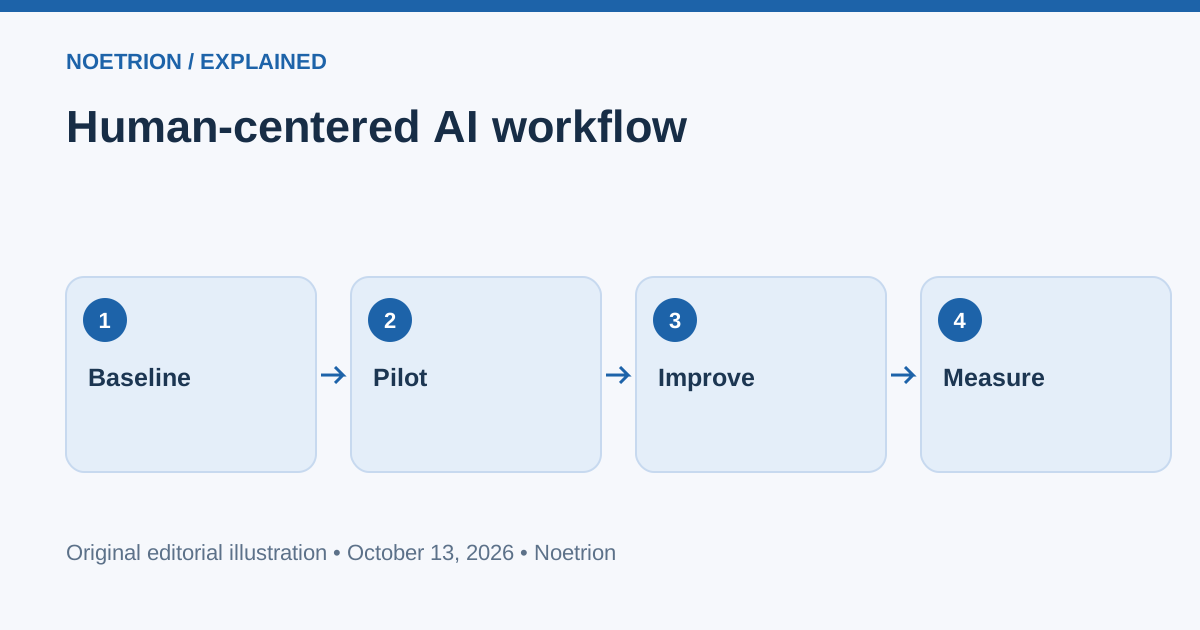
Week 1 — Baseline. Select one workflow and measure time, error rate, and rework. Identify sensitive data and applicable organizational policies. Do not upload confidential material into an unapproved tool.
Week 2 — Controlled pilot. Use AI on a narrow portion of the task. Keep a person responsible for reviewing the output. Record recurring errors and prompts that produced unreliable results.
Week 3 — Improve the process. Standardize input templates, add source references, and define approval points. If the workflow involves sending messages or changing records, require explicit authorization for high-impact actions.
Week 4 — Compare outcomes. Measure total time, quality, error rate, employee effort, and user satisfaction against the baseline. Continue only if the process creates real value.
This schedule is a practical editorial framework, not a controlled research finding from Microsoft.
Skills that become more important
As AI takes on portions of execution, people still need to define the problem, evaluate evidence, identify trade-offs, communicate decisions, and accept responsibility for outcomes. The report emphasizes organizational readiness and human judgment. A technically capable employee cannot realize much benefit if policies, data access, and review processes are incoherent.
For career development, build evidence of these abilities. A short case study explaining how you improved a workflow, validated outputs, and measured impact can be more convincing than a long list of AI tools you have tried.
What managers should avoid
Do not require everyone to automate everything. Some tasks are too sensitive, too rare, or too poorly defined. Do not equate more output with more value. And do not reward speed while ignoring errors or customer harm. Successful adoption requires a culture where people can flag failures and revise processes without hiding problems.
FAQ
Does the Work Trend Index prove AI improves every workplace?
No. It combines survey and product-usage analysis and should not be interpreted as a universal causal estimate.
Should junior employees delegate all routine tasks?
No. Routine work often builds domain understanding. Use AI to support learning while retaining opportunities to practice core skills.
What is the best first metric?
Choose one tied to the workflow's purpose, such as reviewed report completion time or the rate of material errors.