Free-Threaded Python 3.14: A Benchmark Worksheet You Can Reproduce
Compare serial and threaded execution with correctness checks, repeated timings, interpreter details, and an honest record of what the benchmark covers.
Before choosing a different Python build, write down the problem you want it to solve. A slow CPU-heavy transformation and a script waiting for remote responses are different workloads. A benchmark that mixes them into one number can hide the reason a change helped—or failed to help.
Python’s free-threading documentation explains that an appropriate build can run Python threads in parallel, while some extension modules can re-enable the GIL. This worksheet tests a small independent CPU workload. It does not benchmark template strings, certify dependencies, or predict your application’s speed.
Record the environment before the result
| Field | What to save |
|---|---|
| Interpreter | Full version and executable path. |
| GIL state | Runtime state after application imports, where supported. |
| Machine | Processor, logical CPU count, memory, operating system. |
| Workload | Input size, task count, worker count, and expected output. |
| Run conditions | Power mode, other running work, warm-up, and repeat count. |
| Dependencies | Exact package versions and compatibility evidence. |
Use the same machine and input for both interpreters. Close unrelated heavy work, keep the power mode consistent, and record anything you cannot control. Measure the actual import stack separately; an extension’s behavior can change the runtime configuration.
Run a correctness-first experiment
The following standard-library example performs eight independent integer calculations. Each worker returns a value rather than mutating shared state. It verifies the threaded result against the serial result, warms up both paths, and reports the median of five timings. Save it as benchmark_threads.py and run it with each interpreter you want to compare.
from concurrent.futures import ThreadPoolExecutor
from statistics import median
from time import perf_counter
import os
import sys

INPUTS = [100_000 + i * 1_000 for i in range(8)]

def task(limit):
    return sum((i * i) % 97 for i in range(limit))

def serial():
    return [task(value) for value in INPUTS]

def threaded():
    with ThreadPoolExecutor(max_workers=4) as pool:
        return list(pool.map(task, INPUTS))

def measure(function):
    samples = []
    for _ in range(5):
        start = perf_counter()
        function()
        samples.append(perf_counter() - start)
    return median(samples), samples

assert serial() == threaded()
serial()
threaded()
print("Version:", sys.version)
print("Executable:", sys.executable)
print("Logical CPUs:", os.cpu_count())
gil_check = getattr(sys, "_is_gil_enabled", None)
print("GIL enabled:", gil_check() if gil_check else "unavailable")
for name, function in [("serial", serial), ("threaded", threaded)]:
    typical, samples = measure(function)
    print(name, "median:", round(typical, 6), "samples:", samples)
The portable example was checked with Python 3.12.14; that check establishes execution and matching results, not free-threaded performance. Runtime timings belong to the machine and build used for each run. If the tasks finish too quickly for stable comparisons, increase input sizes together and retain the new input definition.
Calculate speedup without manufacturing a claim
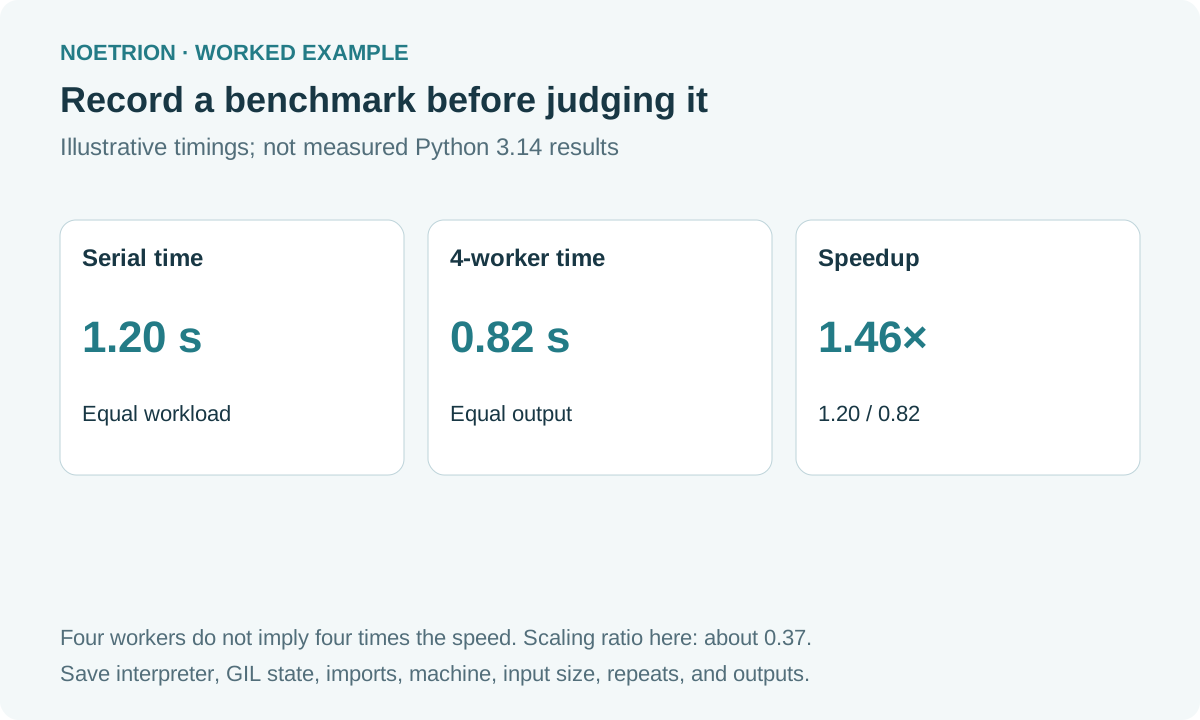
Suppose a hypothetical result has a serial median of 1.20 seconds and a threaded median of 0.82 seconds. Speedup is 1.20 / 0.82 ≈ 1.46. For four workers, speedup divided by worker count is approximately 0.37. That ratio describes scaling in this example; it is not processor utilization. The numbers here are illustrative, not measured performance claims.
Report the raw timings as well as the median. A best run can flatter a noisy experiment. This implementation includes executor creation in each threaded timing; if your application reuses a long-lived executor, design a second experiment that represents that behavior and label the difference.
Make the decision about the real workload
Repeat the exercise with a representative task and verified outputs. Try more than one worker count. Track peak memory with an appropriate operating-system or profiling tool; this script does not measure it. Check cancellation, exceptions, and shared-state synchronization in the application, not only the isolated arithmetic.
If wall time improves but memory or operational complexity exceeds your budget, document the trade-off. If threads do not help, inspect whether the task is too small, the runtime still uses the GIL, or another resource is limiting progress. A useful benchmark ends with a reproducible record and a bounded next experiment.
For broader release context, read the Python 3.14 feature guide. Keep the feature overview and the workload measurement as separate evidence.