Python subprocess.run: A Timeout Does Not Limit Output or Contain a Process Tree
Run Python subprocesses with explicit argument, timeout and output policies. Test failures safely and distinguish direct-child cleanup from process-tree control.
A data pipeline calls an external converter. The developer adds timeout=30 and assumes the command is now bounded. It can no longer run indefinitely, so what else could go wrong?
The converter could emit a large amount of output before the timeout. It could start another process. It could interpret an input filename as a command-line option. A time limit addresses one dimension of a launch contract; it does not supply every other limit automatically.
This evergreen guide, checked on 30 October 2026, uses Python 3.12-compatible standard-library code. The controlled demonstration was executed on Python 3.12.14. It launches only the same Python interpreter, with fixed code and tiny output, rather than downloading or running an external program.
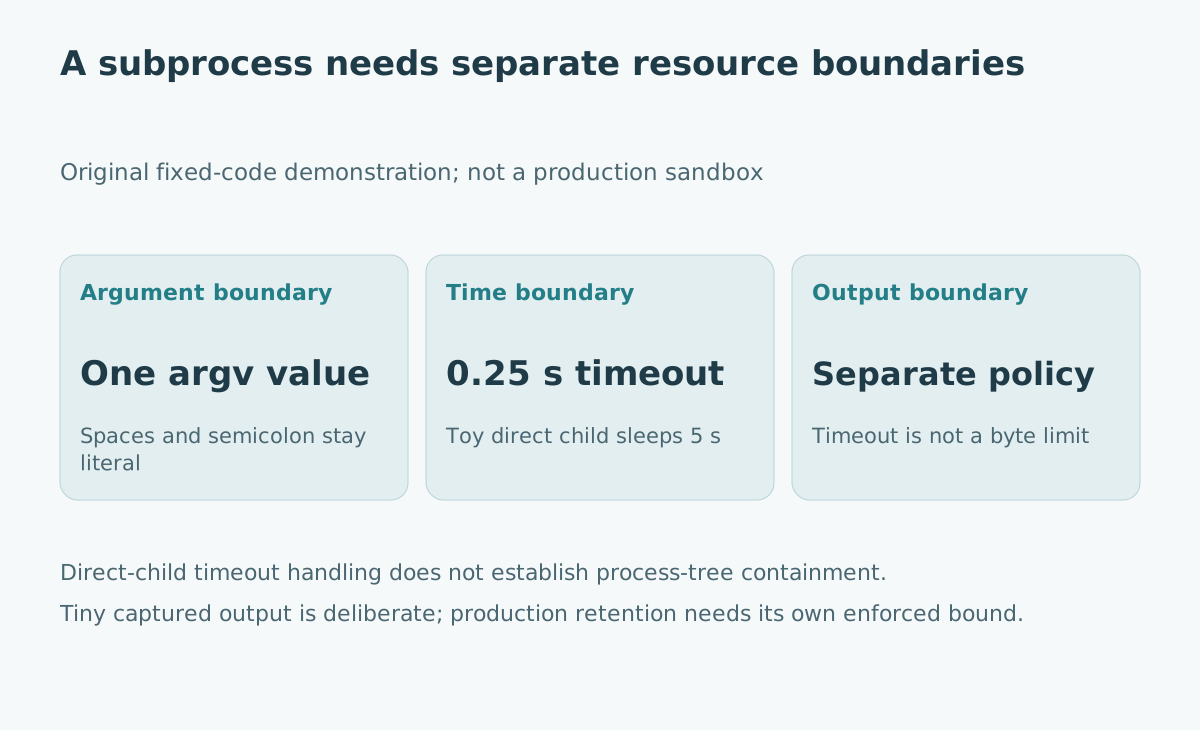
Write the launch contract before choosing the call
A useful contract names the executable, allowed arguments, working directory, environment, input size, expected output, deadline and failure behavior. Decide whether the external program can launch descendants and who owns their lifecycle.
For a conversion job, “success” could require exit status zero, an output file with the expected format and a reconciled record count. A zero exit status alone does not establish that the file contains the intended records.
| Boundary | Question to settle | Common false assumption |
|---|---|---|
| Arguments | Which values can the caller control? | An argument list validates the tool's options |
| Time | What deadline and cleanup are required? | Timeout is an exact total wall-clock limit |
| Output | How much stdout and stderr may be retained? | A short run must produce little output |
| Processes | Can descendants remain active? | Killing one child stops an entire tree |
The table is an original review checklist, not a Python API guarantee.
Keep data out of shell interpretation
PEP 324, which introduced the subprocess module, explains its explicit process-launching design and the risks of implicit shell interpretation. For ordinary executable invocation, use an argument sequence with shell=False and keep dynamic data separate from fixed program code.
If a filename contains spaces or a semicolon, one list element preserves it as one argument for an ordinary executable. Do not add shell quoting characters around that element merely because a human would quote it in a terminal.
This still leaves application-level interpretation. A value beginning with a dash may be treated as an option by the called program. Use its documented option terminator or another supported input interface when needed. Validate the executable and permitted options separately. Platform-specific launch behavior also matters; do not generalize this ordinary-executable example to every script launcher or Windows batch-file case.
Execute a small success, failure and timeout demonstration
The program below uses fixed Python snippets. The dynamic payload is an argument, not interpolated into the child program. Capturing output is acceptable here because the snippets are deliberately tiny.
import subprocess
import sys

payload = "sample name; literal text"
completed = subprocess.run(
    [sys.executable, "-I", "-c", "import sys; print(sys.argv[1])", payload],
    shell=False,
    check=True,
    capture_output=True,
    text=True,
    encoding="utf-8",
    timeout=5,
)
assert completed.stdout == payload + "\n"
assert completed.stderr == ""

try:
    subprocess.run(
        [sys.executable, "-I", "-c", "import sys; sys.exit(7)"],
        check=True,
        stdout=subprocess.DEVNULL,
        stderr=subprocess.DEVNULL,
        timeout=5,
    )
except subprocess.CalledProcessError as exc:
    assert exc.returncode == 7
else:
    raise AssertionError("Expected nonzero exit")

try:
    subprocess.run(
        [sys.executable, "-I", "-c", "import time; time.sleep(5)"],
        stdout=subprocess.DEVNULL,
        stderr=subprocess.DEVNULL,
        timeout=0.25,
        check=True,
    )
except subprocess.TimeoutExpired:
    pass
else:
    raise AssertionError("Expected timeout")

print("Literal argument, nonzero exit and direct-child timeout passed")
The Python subprocess reference documents run() timeout cleanup: it kills and waits for the direct child before raising TimeoutExpired. Process creation itself is not always interruptible. The demonstration checks that the three outcomes remain distinct; it does not assert an exact elapsed duration.
Choose output handling independently of the timeout
capture_output=True collects stdout and stderr through pipes, and communication buffers captured content in memory. The subprocess reference warns against using this approach for large or unlimited output. Checking len(completed.stdout) afterward detects excessive output too late to prevent its allocation.
For output that is genuinely unnecessary, discard it. For retained logs, choose a bounded collection mechanism or an output file governed by an independently enforced storage policy. Redirecting to a file shifts the resource exposure; it does not create a disk quota.
If you implement streaming collection, bound both retained bytes and producer lifetime. Continue handling both output streams correctly. Simply reading stdout while leaving a noisy stderr pipe undrained can block progress. The communication design discussed in PEP 324 addresses pipe coordination; reproducing it casually can create a new failure path.
Distinguish run from lower-level timeout handling
Do not copy a run() timeout assumption into a hand-written Popen wrapper. The subprocess documentation states that a timeout on Popen.communicate() does not itself kill the process. A wrapper needs an explicit cleanup strategy that also finishes handling its pipes.
That distinction becomes consequential when developers switch to Popen to inspect progress. They inherit more lifecycle responsibility along with the extra control.
A subprocess timeout is also not a transaction rollback. Files already written and requests already sent may remain. Stage outputs and reconcile side effects before retrying. For file publication, the atomic replacement guide covers a separate boundary after successful computation.
Define what happens to descendants
The direct child may be a launcher that starts workers. The Python os documentation distinguishes signaling a process from signaling a process group, and marks process-group signaling as Unix-specific.
A production policy might use a suitable process supervisor, job object, container boundary or carefully configured process group. The correct choice depends on the operating system and trust model. A process group is not a universal security sandbox, and this article's example does not create or test one.
Test the actual launcher with an intentionally harmless descendant fixture in an isolated environment. Confirm that cancellation leaves no ongoing work or inherited pipe handles. Document which boundary owns cleanup instead of assuming every timeout propagates through a tree.
Make failure reports useful without leaking inputs
Record a job identifier, tool version, start and finish status, exit code when available, timeout policy and output-retention outcome. Keep timeout, launch failure, nonzero exit and output validation failure separate.
Avoid dumping the full environment or sensitive arguments into logs. Preserve enough context to reproduce the failure with a safe fixture. A retry should follow the tool's side-effect contract, especially if the previous attempt timed out after partially completing work.
The goal is a launch whose behavior remains understandable when something goes wrong. A short command call is convenient; the surrounding resource and ownership decisions make it reliable.
Sources and scope
- Python 3.12 subprocess documentation, checked 30 October 2026: timeout behavior, output capture and lower-level communication distinctions.
- PEP 324: subprocess — New process module, created 19 November 2003: original design rationale for shell handling and coordinated communication.
- Python 3.12 os documentation, checked 30 October 2026: process versus process-group signaling and platform scope.
The executed fixture tests one direct child at a time. It does not measure peak memory, enforce an output quota or establish process-tree containment for arbitrary external tools.