Learning Regex: JavaScript Examples and Python Differences
Learn regex through JavaScript and Python examples covering search, validation, capture groups, replacement, Unicode, and tests for incorrect matches.
Checked on October 2, 2026. Primary examples use JavaScript; comparisons use Python 3's re module. Identifier and contact patterns follow exercise rules, not a universal identity or email-validation standard.
A regex finding digits in text may be unsuitable for validating an identifier. A pattern working in Python may behave differently in JavaScript. These problems arise from matching goals and engine behavior, not simply insufficient pattern length.
Short answer: define the data rule, decide between substring search and full-input validation, choose an engine, and create accepted and rejected cases. Regex works well for clear text shapes. Account existence, calendar validity, and email ownership require other checks.
Start with a small contract
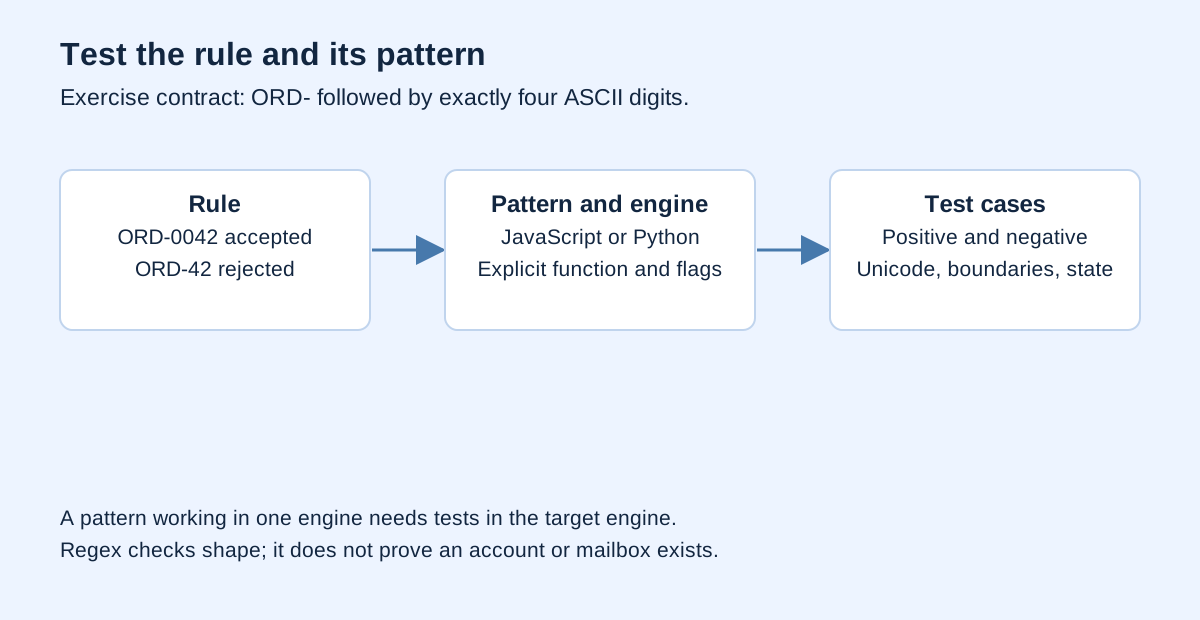
In this exercise, an order code starts with ORD-, continues with exactly four ASCII digits, and contains nothing else. ORD-0042 is accepted. ORD-42, XORD-0042, and ORD-0042-extra are rejected.
This is deliberately narrow. It is not a claim about all order systems. The goal is a checkable contract before a pattern. If your organization uses another rule, change the contract first and derive a pattern from it.
The MDN regex guide documents literals and the RegExp constructor. Literals are usually easier to read for fixed patterns. Dynamically generated patterns may need the constructor and additional attention to string escaping.
Substring search is different from validation
const finder = /ORD-[0-9]{4}/;
console.log(finder.test("order ORD-0042 received")); // true

const validator = /^ORD-[0-9]{4}$/;
console.log(validator.test("order ORD-0042 received")); // false
console.log(validator.test("ORD-0042")); // true
The first pattern finds a match anywhere. The second adds beginning and end boundaries. This JavaScript validator does not use m, because multiline mode changes anchor behavior to line boundaries. Adding flags without understanding their purpose can broaden accepted input.
Do not add .* around a pattern just to make every sample match. Overly broad validation hides errors; overly strict extraction can miss records needing inspection. Choose the behavior for the task before adjusting the pattern.
Read the pattern one piece at a time
| Component | Meaning for this exercise |
|---|---|
^ |
Beginning of input without multiline mode |
ORD- |
Literal text |
[0-9] |
One ASCII digit |
{4} |
Exactly four repetitions |
$ |
End of input in this pattern's context |
A short pattern can document a rule if its limits are clear. "Valid order code" is vague. "ORD- prefix followed by four ASCII digits, with no extra whitespace" states what is checked and rejected.
If you accept surrounding spaces, explicitly normalize them or change the contract. trim() is a data decision, not a consequence-free repair. For identifiers that must exactly match a source, retain raw and normalized values separately.
Write cases before trusting the pattern
| Synthetic input | Expected result | Reason |
|---|---|---|
ORD-0042 |
Accept | Meets the entire rule |
ORD-42 |
Reject | Too few digits |
ORD-00421 |
Reject | Too many digits |
XORD-0042 |
Reject | Prefix is not at the start |
ORD-0042-extra |
Reject | Extra characters |
ord-0042 |
Reject | Contract is case-sensitive |
ORD-1234 |
Reject | Fullwidth digits, not ASCII |
ORD-0042 |
Reject | Additional whitespace |
Add empty input, newlines, and long strings reflecting your actual sources. Negative cases often reveal more than numerous valid variations. Matching ideal examples does not establish that rejection boundaries work.
const valid = /^ORD-[0-9]{4}$/;
const cases = [
  ["ORD-0042", true],
  ["ORD-42", false],
  ["XORD-0042", false],
  ["ORD-0042-extra", false],
  ["ORD-1234", false]
];
for (const [input, expected] of cases) {
  console.assert(valid.test(input) === expected, input);
}
Use the Noetrion Regex Tester to inspect patterns and matches. It uses JavaScript. Its results do not establish identical behavior in Python, PCRE, or another engine.
Capture groups extract parts of a match
For the order-code exercise, capture the digits after the prefix:
const match = /^ORD-([0-9]{4})$/.exec("ORD-0042");
if (match) {
  console.log(match[0]); // ORD-0042
  console.log(match[1]); // 0042
}
Keep 0042 as text if it belongs to an identifier. Converting it to a number removes leading zeros. Convert fields representing quantities, not every captured digit group.
Named groups can improve clarity. Supporting JavaScript engines use (?<number>[0-9]{4}); Python re uses (?P<number>[0-9]{4}). The syntax difference is one reason cross-language copy-paste needs testing.
Extract multiple results with matchAll
The MDN matchAll() reference documents collecting matches with their capture groups. A regex passed to matchAll() needs the global flag.
const text = "ORD-0042 then ORD-0100";
const pattern = /ORD-([0-9]{4})(?![0-9])/g;
const numbers = [...text.matchAll(pattern)].map(m => m[1]);
console.log(numbers); // ["0042", "0100"]
The negative lookahead prevents the first four digits of a five-digit code from being extracted as a complete result. It does not define every boundary before the prefix or after the code. If separators matter, add and test those rules in context.
For formally structured logs, a format parser or field splitting can be better than an ever-growing regex. Use regex for clear, testable text requirements. When nesting and data types matter, use a parser, as discussed in invalid JSON diagnosis.
Replacement has its own syntax
JavaScript uses $1 for the first capture group in replacement strings. Python re.sub() can use \g<1>. Port both the pattern and the replacement contract.
const changed = "ORD-0042".replace(/^ORD-([0-9]{4})$/, "INV-$1");
console.log(changed); // INV-0042
import re

changed = re.sub(r"^ORD-([0-9]{4})$", r"INV-\g<1>", "ORD-0042")
print(changed)  # INV-0042
This changes the prefix under the exercise rule. In real work, retain original input, count changes, and inspect unchanged samples. Broad replacements can damage previously correct data.
Unicode behavior differs between engines
The JavaScript character-class reference describes \d as ASCII digits, equivalent to [0-9]. For Unicode strings, Python re has broader default digit behavior; re.ASCII restricts certain classes.
import re

print(bool(re.fullmatch(r"\d+", "123")))           # True
print(bool(re.fullmatch(r"[0-9]+", "123")))       # False
print(bool(re.fullmatch(r"\d+", "123", re.ASCII))) # False
In Python, re.fullmatch() states whole-input validation directly. re.search() searches anywhere, while re.match() begins at the start without requiring the entire input to be consumed. Choose the function for the contract before changing the pattern.
| Requirement | JavaScript | Python re |
|---|---|---|
| Substring search | test() or exec() with a search pattern |
re.search() |
| Whole-input validation | Anchors with appropriate flags | re.fullmatch() |
| Named group | (?<name>...) |
(?P<name>...) |
| First-group replacement | $1 |
\g<1> |
| Explicit ASCII digits | [0-9] |
[0-9] |
This small table does not cover complete engine compatibility. For multilingual text, decide whether you want all writing systems or a specific subset. JavaScript's Unicode flag does not automatically make all shorthand classes behave like Python's.
Global regex objects retain state
The RegExp.test() reference explains state through lastIndex for g and y flags. Reusing the same global object for repeated validation can produce surprising results.
const stateful = /ORD-[0-9]{4}/g;
console.log(stateful.test("ORD-0042")); // true
console.log(stateful.test("ORD-0042")); // false
For a boolean format check, omit g unless required. If stateful behavior is intentional, manage lastIndex and test call sequences. Testing one input once can miss a bug appearing on the second call.
Security: long input and backtracking
OWASP ReDoS guidance explains how certain patterns can require excessive work on particular failing inputs. Nested repetition is a reason to investigate, not proof that all regex is slow.
Do not execute unrestricted user-supplied patterns on the main thread. Bound input, use a terminable worker or process, and set a timeout. Worker.terminate() stops browser worker execution; it does not repair the pattern's algorithm.
For everyday exercises, begin with narrow, readable patterns. Avoid running enormous adversarial strings on the main page simply to show that regex can stall. Use an isolated, time-bounded environment for performance evaluation.
Regex does not verify real-world existence
A basic email pattern can reject obviously malformed input, but cannot establish mailbox existence or ownership. A date pattern can recognize digit groups without proving a valid calendar date. An account-number shape does not prove registration.
Combine shape checks with parsing, domain rules, or an appropriate verification step. Explain what you actually checked. Do not report validator accuracy without a supporting dataset and measurement procedure.
For data pipelines, keep raw values, transformed values, and rejection reasons. This matches reproducible data cleaning. Regex supplies one rule within a pipeline rather than replacing the full audit.
Frequently asked questions
Can I copy a JavaScript tester pattern into Python?
Check syntax, flags, Unicode, matching functions, and replacement behavior. Rerun the same cases in the target engine; successful compilation alone does not guarantee identical results.
How do *, +, and ? differ?
As basic quantifiers, * permits zero or more, + one or more, and ? zero or one occurrence of the preceding component or group.
Is regex better than includes()?
For simple literal search, string methods may be clearer. Use regex when the task actually requires a pattern rule.
Why does it match input that should be rejected?
Check substring search versus full-input validation, then flags, alternatives, character boundaries, and global-object state.
Verification and sources
Rules come before patterns. Choose the engine, write positive and negative cases, distinguish search from validation, and inspect Unicode and replacement behavior when porting code. A useful pattern has explainable boundaries and checkable outcomes.
MDN, Python, and OWASP are linked beside relevant behavior; accessed October 2, 2026. Identifiers and inputs are synthetic Noetrion fixtures. JavaScript and Python examples were checked locally. There is no universal email pattern or blanket ReDoS guarantee here.